
A Domain Checklist for Companies Rebranding or Scaling
What to evaluate about your current domain before you spend another dollar on marketing under the wrong name.

A Domain Checklist for Companies Rebranding or Scaling
Every marketing dollar you spend builds equity in one specific name. If that name is the wrong one, you're paying to strengthen something you'll eventually have to replace, and then paying again to move everything off it.
That's why changing domain name is a decision worth making on purpose, at the right time, with a plan. Do it well and customers barely notice, while search rankings settle within weeks. Do it badly and you can lose search traffic and customer trust that took years to build.
This checklist covers the whole job in three parts: how to judge your current domain honestly, how to secure the right brand domain name, and a step-by-step website migration checklist for the move itself.
QUICK ANSWER
Before changing domain name, confirm the new name is clear of trademark conflicts and fully under your company's control. Then map every old URL to its new equivalent, set up permanent 301 redirects page by page, verify both domains in Google Search Console, use the Change of Address tool, and keep the old domain and its redirects live for at least a year. Expect search traffic to fluctuate for a few weeks while Google reindexes the new site.
KEY TAKEAWAYS
· Judge your current domain by how people hear and type it, not by how it looks on a logo
· Make sure the domain is registered to the company itself, not to someone who has since left
· Secure the new brand domain name before any public announcement
· Redirect each old page to its closest new page, never everything to the home page
· Google recommends keeping redirects for at least one year
· Search Console's Change of Address tool forwards signals for 180 days
· Never let the old domain expire, even years after the move
Part 1: Evaluate Your Current Domain
Start with an honest audit of the name you have. These questions take an hour to answer and can save a very expensive mistake in either direction: moving when you didn't need to, or staying when you should have moved.
Does it work out loud?
· Can someone type it correctly after hearing it once, with no spelling explanation?
· Does it contain hyphens or numbers that need explaining every time you say it?
· Do people regularly add .com when your domain is actually something else?
· Does it match the name customers actually call you?
Does it still fit the business?
· Does it describe a product or market you've moved past?
· Does it include a city or region when you now sell nationally or worldwide?
· Does it carry a modifier, like get, try or app, that you only added because the clean name was taken?
· Would you choose this name today if you were starting from scratch?
Is it safe and under your control?
· Is the registrant the company itself, not a founder's personal account, a former employee or an old agency?
· Does more than one person at the company have access to the registrar account?
· Is two-factor authentication turned on?
· Are auto-renew and registrar lock switched on, with a payment card that won't expire soon?
· Is there any trademark conflict with another company in your space?
COMMON MISTAKE
Discovering during a rebrand that the company's main domain is registered to someone who left three years ago. Fixing ownership is slow and sometimes contentious. Check this first, whether you end up moving or not.
If most answers come back fine, you may not need a new domain at all. If several don't, the next question is what to move to. A domain strategy consultation can give you a plain read on whether your preferred name is attainable and roughly what it would cost before you commit.
Part 2: Secure the New Brand Domain Name
Your brand domain name should be locked down before anyone outside the company hears the new name. Once it's public, the price of anything you still need to buy goes up.
1. Clear the trademark. Search in every market where you sell. In the US, start with the USPTO trademark search.
2. Secure the exact-match .com. If it's registered to someone else, buy it before the announcement, not after.
3. Pick up the obvious extras. Common misspellings and the main country codes where you operate, if they're cheap.
4. Register it to the company, in an account the business controls, with at least two admins.
5. Lock it down the day it arrives. Switch on registrar lock and auto-renew, then protect the account itself with two-factor authentication.
6. Renew for several years. It's cheap insurance against a missed renewal email.
If the .com you need is taken, see how one startup handled that in our seed-stage exact-match .com case study, including how it paid for a $1 million name over time. For higher-stakes purchases, our high-value domain acquisition service negotiates anonymously so the seller never learns which company is asking.
PRO TIP
If you buy a domain from another owner, make your final registrar move before updating the registrant details. Changing the owner information typically triggers a 60-day lock on transferring to a different registrar.
Part 3: Website Migration Checklist for Changing Domain Name
This is the part that decides whether your search traffic follows you. The steps below follow Google's own guidance on site moves with URL changes, translated into a working checklist.
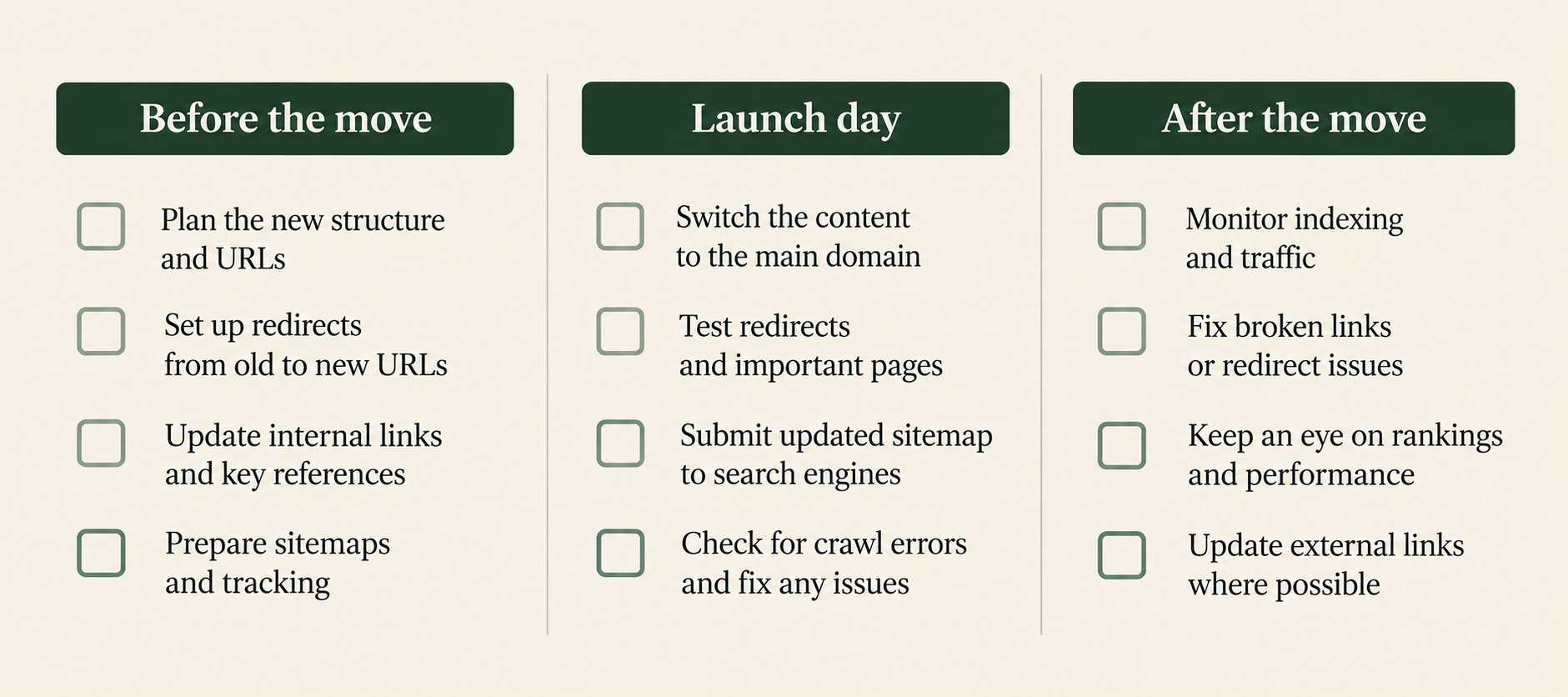
Before the move
· List every URL on the old site. Pages, blog posts, images, PDFs and any old URLs that still get traffic or links
· Map each old URL to its new equivalent, one to one, in a simple spreadsheet
· Keep the site structure the same if you can. Changing domain and site architecture at the same time makes problems harder to diagnose
· Record your benchmarks: organic traffic, top pages, top keywords and conversions, so you can compare after the move
· Verify both the old and new domains in Google Search Console, including the www and non-www versions
· Prepare the new site with self-referencing canonical tags and internal links already pointing to the new domain
· Lower the DNS TTL a few days ahead so the switch takes effect quickly
On launch day
· Set up permanent server-side redirects (301 or 308) from each old URL to its mapped new URL
· Send each redirect straight to its final page. Google suggests avoiding chains and keeping any that exist to fewer than five hops
· Don't point everything at the new home page. Mass redirects to an unrelated page throw away most of the value of the old pages
· Submit the new XML sitemap in Search Console
· Use the Change of Address tool in Search Console for the old domain
· Update analytics, ad accounts, tag manager and any tracking to the new domain
· Test a sample of old URLs by hand to confirm each lands on the right new page
A few rules apply to the Change of Address tool. According to Google's help page for the tool, you need to be an owner of both properties with the same account, it only works for domain-level moves, and it forwards signals for 180 days. Redirects should already be in place before you use it.
After the move
· Watch for crawl errors and 404s in Search Console and fix any missed redirects quickly
· Compare traffic and rankings against your benchmarks every week for the first two to three months
· Ask the sites with your most valuable backlinks to update their links to the new domain
· Update your profiles on social networks, directories, review sites and business listings
· Keep redirects live for at least a year. Google recommends a year at minimum and suggests considering keeping them indefinitely
· Renew the old domain forever. If it lapses, someone else can register it and inherit your traffic and email
NOTE
Some ranking movement after a domain move is normal. Google says that for medium-sized sites it can take a few weeks or more for the new URLs to replace the old ones in results, and longer for large sites. A dip that recovers is expected. A dip that keeps falling usually means broken or missing redirects.
Everything Outside the Website
Search traffic gets most of the attention, but a domain touches far more than the website. These are the items teams most often forget:
· Email. Keep the old domain receiving mail and forwarding it for a long time. Set up SPF, DKIM and DMARC records on the new domain before anyone sends from it
· Logins and integrations. Single sign-on, OAuth apps, webhooks and API callbacks that reference the old domain
· Payments and billing. Payment processor settings, plus the templates behind every invoice and receipt
· Legal documents. Terms of service, privacy policy, contracts and anything that names your web address
· App stores and listings. Support URLs, privacy URLs and developer contact details
· Physical materials. Business cards, packaging, signage and anything printed
· Customer communication. A short, clear note telling customers about the change, so a new address doesn't look like a phishing attempt
EXAMPLE: BUSINESS EXAMPLE
Scenario: a company moves from a hyphenated .net to its clean .com. The website redirects work perfectly, but nobody updated the reply-to address on automated invoices. For two weeks, customer payment questions bounce. The fix took ten minutes. Finding the problem took two weeks of confused support tickets.
Common Mistakes When Changing Domain Name
· Redirecting every old page to the new home page
· Launching a redesign and a new domain on the same day
· Removing redirects after a few months to tidy up
· Letting the old domain expire
· Forgetting email, so messages to old addresses quietly disappear
· Announcing the new name before the domain is actually secured
· Skipping the benchmark, so nobody can tell whether traffic really recovered
When Scaling Means It Is Time for a Better Name
A rebrand is usually the best moment to fix a compromise domain, because you're already paying for the migration work. Moving once, to the name you'll keep, is far cheaper than moving twice.
Venture-backed companies have a particular reason to act before the next round: a bigger, better-known company is a more tempting target for a seller. Our domain acquisition service for venture capital keeps every detail of the fund and the round confidential, so the price stays tied to the domain.
Frequently Asked Questions
Will changing my domain name hurt SEO?
Temporarily, often a little. If you redirect every old URL to its matching new URL and use Search Console's Change of Address tool, most ranking signals carry over. Google says it can take a few weeks or more for the new URLs to fully replace the old ones.
How long should I keep 301 redirects after changing domain?
Google recommends at least one year and suggests considering keeping them permanently. Search Console's own guidance says at least 180 days, and longer if the old site still receives search traffic. Keeping them indefinitely is the safest choice.
What is the Change of Address tool?
It's a Search Console feature that tells Google your site has moved from one domain to another. It forwards signals for 180 days and requires you to own both properties, have redirects already in place, and be moving at the domain level.
Should I redirect all old pages to my new home page?
No. Redirect each old page to the most relevant new page. Sending many old URLs to one unrelated page wastes most of their value and confuses visitors.
Can I change my domain and redesign my site at the same time?
You can, but it's riskier. If traffic drops, you won't know whether the domain move or the redesign caused it. Where possible, change one thing at a time and keep the site structure the same during the move.
What should I do with my old domain after the move?
Keep it registered with the redirects running. It should keep receiving email too. If you let it expire, someone else can register it and capture your old links, traffic and messages.
What is a brand domain name?
It's the domain that matches your company's name exactly, ideally the .com, like Ring.com for Ring. It's the address customers guess first when they hear your name.
When is the right time to change domain name?
Usually during a rebrand, before a major marketing push, or before a funding round. Each of those moments either reduces migration cost or prevents you from building more equity in a name you'll replace.
Do I need to tell customers about a new domain?
Yes. A short, clear message prevents confusion and stops your new address from looking like a phishing attempt. Mention it in emails, on the site and in your product.
How do I make sure my company owns its domain?
Check that the registrant is the business itself, that the registrar account belongs to a company email with at least two admins, and that registrar lock and auto-renew are on. Protect the account with two-factor authentication too.
What if the domain I want for the rebrand is already taken?
It can often still be bought from the current owner. Secure it before you announce the new name, and keep your company's identity out of the approach so the price stays tied to the domain.
Does a website migration checklist differ for small sites?
The steps are the same, there are just fewer URLs to map. Small sites tend to recover faster, but skipping redirects or Search Console steps hurts a small site just as much as a large one.
Changing domain name isn't something to fear, and it isn't something to rush. Audit the name you have, and secure the brand domain name you want before anyone knows about it. Then work through the website migration checklist one step at a time. Do it in that order and the only thing your customers notice is a better name.